An AI video workflow is the order you make decisions in when the footage comes from video models instead of a camera. It runs in six stages: plan, cast, look, shoot, cut, and review. The models change every few months. The stages don't, and a workflow that holds them together is what turns five-second clips into a film someone will watch to the end.
This guide walks through each stage, with what it needs, what it costs at Cnemai's published prices, and the mistakes that sink most AI video projects. The numbers come from two films made start to finish in the studio: Face Masks Off, a 3:58 music video with 102 cuts, and Tony's Noodles, a 50-second commercial.
Why a clip generator isn't a workflow
A video model gives you a clip: a few seconds, one prompt, one try. A film needs twenty to sixty shots that agree with each other, with the same faces, the same light, the same product and a cut that lands on the beat or the line. Every problem in AI video lives in the gaps between clips, and that's exactly where a workflow does its work.
The six stages at a glance
| Stage | What goes in | What comes out | Typical cost |
|---|---|---|---|
| 1. Plan | A script, a brief or a song | Scenes and shots, each with one action and a length | Included |
| 2. Cast | References for the people, places and props | One locked sheet for each, with a hero version | A few stills |
| 3. Look | Each shot's line and its sheets | A first frame for every shot | 3¢ a still |
| 4. Shoot | The chosen first frame | Two or three takes per shot | 6¢ a second on the fast lane |
| 5. Cut | The takes, the voice, the sound | A timeline with saved versions | 12¢ per 1,000 characters of voice |
| 6. Review and deliver | A proposed cut | An approved cut and a 1080p master | Included |
1. Plan: turn the idea into shots
Start from whatever you have, a script, a client brief or a finished song, and break it into scenes and shots. Give each shot one action, one camera move and a length. One action per shot is the rule that matters most: a prompt that asks for three things comes back as a blur of all three.
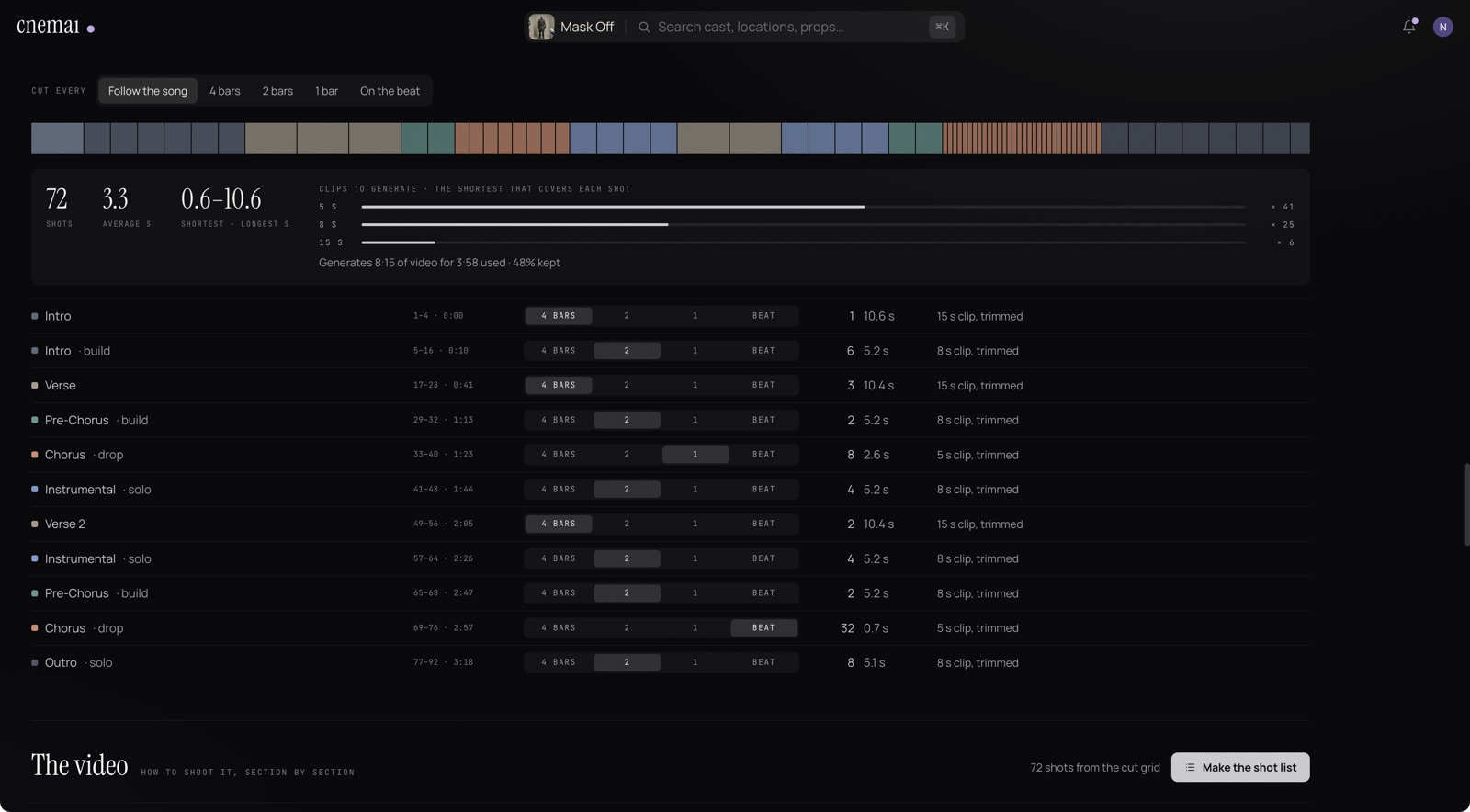
A song brings its own grid. Read its sections, bars and drops first, then plan the shots on the bars, so the cut has somewhere to land. Face Masks Off was planned that way, 55 shots across a 3:58 song.
In Cnemai the script is the shot list: change a line and the shot changes, and every revision is kept. Paste a brief and the studio proposes scenes and shots with cast, staging and length, for you to keep or change.
2. Cast: lock every face, place and prop
Consistency is the problem everyone hits first. The fix is the one film crews already use: casting. Make one sheet per character, place and prop, pick the hero version, and have every take draw from it.
Keep sheets to identity: the face, the wardrobe, the pack, the set, on a plain background. The action belongs to the shot. A sheet that tries to show a pose or a mood leaks it into every shot that uses it.
3. Look: find it on stills before you pay for video
A still costs cents and a second of video costs more than a still. Try three stills for a shot, keep the one that's right, and animate only that. The chosen still becomes the shot's first frame. When two shots need to flow, the last frame of one can open the next.
4. Shoot: takes, not tries
Render two or three takes of every shot and keep the best. Plan to shoot several times what you use: Face Masks Off rendered 229 clips, about 21 minutes of video, to keep 3:58; Tony's Noodles rendered 93 seconds to keep 52.
Two habits save money. See the price before every render; in Cnemai it shows on the take before it starts, and a failed take is never charged. And when a model keeps missing a shot, try the shot on another model rather than rewording the prompt a tenth time.
5. Cut: one timeline for picture and sound
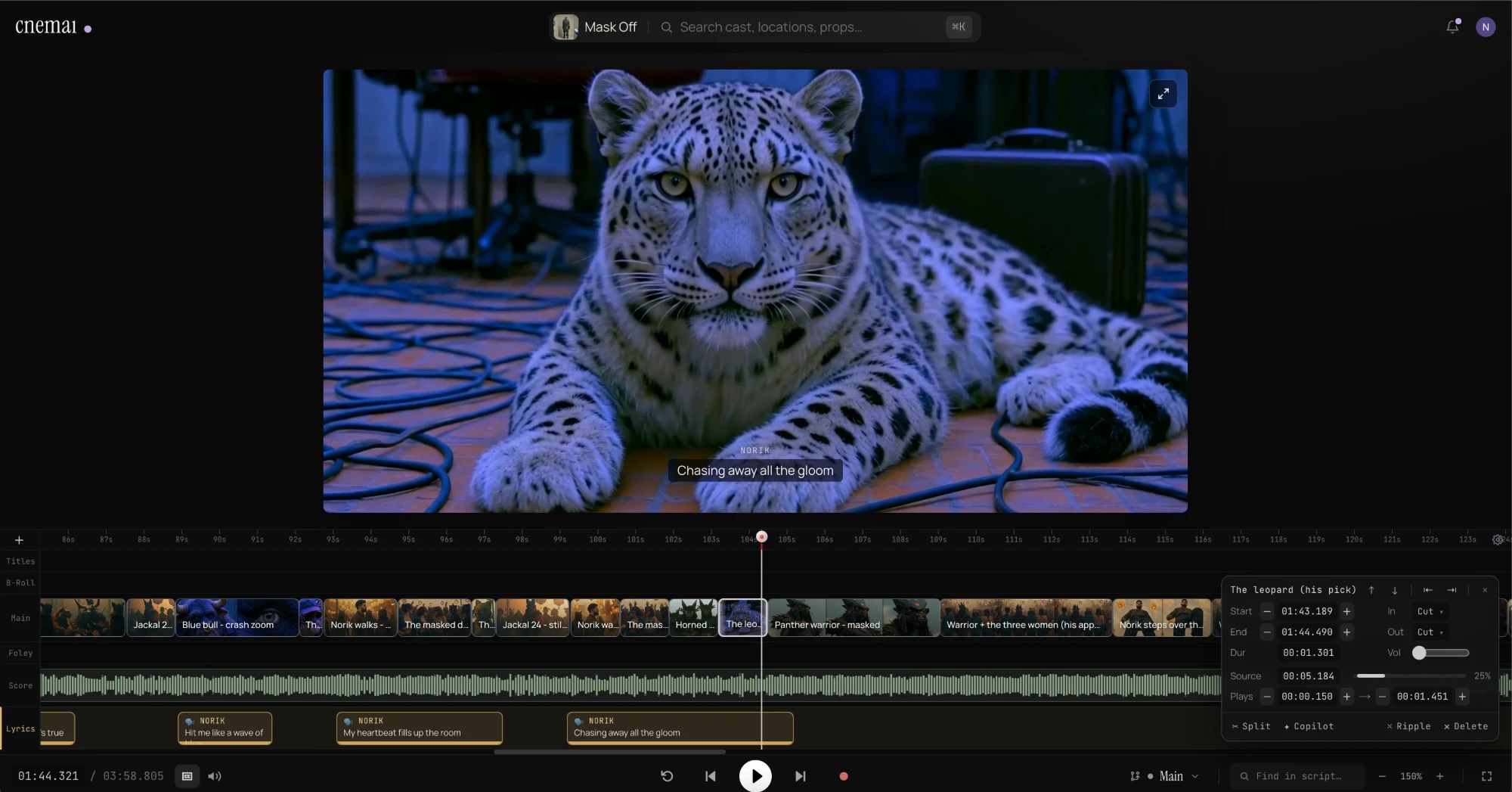
Lay the takes on a real timeline: picture on the main lane, voice-over, dialogue, foley, ambience, score and captions on their own lanes. Trim to the bar or the read. Save a version whenever a pass is worth keeping. Face Masks Off is on version 61, and all 60 before it are still there to restore.
6. Review and deliver: decide on the record
On a team, the review round is part of the workflow, not an email thread after it. Branch the cut to try an ending, propose it, let every member vote and leave notes, compare it against the live cut, and have the producer approve it. Then export a 1080p master of the approved cut. Solo, the same history matters for a different reason: it's how you get back to the version that worked.
Where AI video workflows break
- Tool-hopping. The script in a doc, stills in one app, clips in another, the edit in a fourth, the review in email. Each handoff loses a prompt, a reference or a version.
- Prompting instead of casting. Describing the hero again in every prompt drifts. A locked sheet doesn't.
- Overloaded shots. Three actions in one prompt make one muddy clip.
- One take per shot. The edit has nothing to choose from.
- No versions. "final_v3_REAL.mp4" isn't a history.
One studio, or a chain of apps
You can run this workflow across separate tools: a doc for the script, an image model, a video model, a voice app and an editor, joined by downloads and uploads. It works, and it's how most people start. Cnemai runs all six stages on one project instead, so the shot, its sheets, its takes, its sound and its place on the cut stay connected, and the team works in the same place at $99 a month for the whole studio.
Directing it from a chat
The workflow doesn't have to live in one app's buttons. Through the Cnemai connector, Claude or ChatGPT can open the same project: read the script and the cast, render takes, voice a line and lay clips on the cut, and every change lands in the studio as a saved version. Tony's Noodles was directed that way, from a Claude chat.
Workflows by kind of film
- Commercials and brand spots: the same six stages, with the script timed to the second and a client review before delivery. Read the AI commercial workflow.
- Music videos: plan on the song's bars and cut to them. Read how to turn a Suno song into a music video.
- Series: cast once and carry the sheets across episodes. See AI series with the same cast.
- Client work: one price for the whole team and a review round. See Cnemai for agencies.