cnemai is a film studio with an MCP server at its front door. Connect it once and your assistant can open the same project you can: read the script and the cast, render takes, voice a line, and lay clips on the cut. Everything lands in the studio as real rows, not as a transcript you copy across.

Direct a film from the assistant you already use. Takes, voice and the cut land in your studio, paid from the same wallet as the app.
Connect cnemai to Claude Code so I can make films from here.
1. Add the server: run `claude mcp add --transport http --scope user cnemai https://tiny.cnemai.com/api/mcp`.
2. Sign in: tell me to type /mcp, choose cnemai and finish signing in on the page it opens. I pick my studio there and press Authorize.
3. If the cnemai tools are loaded, call get_guide and list_projects, then tell me which studio you reached, what's in it and what to try first. If they aren't loaded yet, tell me to start a new session and ask "What's in my cnemai studio?"
Connect cnemai to Codex so I can make films from here.
1. Add the server: run `codex mcp add cnemai --url https://tiny.cnemai.com/api/mcp`.
2. Sign in: run `codex mcp login cnemai` and tell me to finish signing in on the page it opens. I pick my studio there and press Authorize.
3. If the cnemai tools are loaded, call get_guide and list_projects, then tell me which studio you reached, what's in it and what to try first. If they aren't loaded yet, tell me to start a new session and ask "What's in my cnemai studio?"
Connect cnemai to Cursor so I can make films from here.
1. Add the server: in ~/.cursor/mcp.json, add "cnemai": { "url": "https://tiny.cnemai.com/api/mcp" } under "mcpServers". Keep the servers already there.
2. Sign in: tell me to open Cursor Settings, find cnemai in the MCP list and sign in when it asks. I pick my studio there and press Authorize.
3. If the cnemai tools are loaded, call get_guide and list_projects, then tell me which studio you reached, what's in it and what to try first. If they aren't loaded yet, tell me to start a new session and ask "What's in my cnemai studio?"Connect cnemai to Antigravity so I can make films from here.
1. Add the server: in your mcp_config.json, add "cnemai": { "serverUrl": "https://tiny.cnemai.com/api/mcp" } under "mcpServers". Use serverUrl, not url, and keep the servers already there.
2. Sign in: tell me to open Agent settings, go to Customizations and press Authenticate next to cnemai. I sign in, pick my studio, press Authorize and paste the code back into the settings panel.
3. If the cnemai tools are loaded, call get_guide and list_projects, then tell me which studio you reached, what's in it and what to try first. If they aren't loaded yet, tell me to start a new session and ask "What's in my cnemai studio?"- On claude.ai or in the Claude desktop app, open Settings, then Connectors, then Add custom connector.
- Name it cnemai and paste the server URL.
- Press Connect, sign in, pick your studio and press Authorize. Then ask: “What's in my cnemai studio?”
Server URL https://tiny.cnemai.com/api/mcp
- In Settings, turn on Developer mode. Custom connections live behind it.
- Add a new plugin: name it cnemai, paste the server URL and leave Authentication on OAuth.
- Create it, sign in, pick your studio and press Authorize. Then ask: “What's in my cnemai studio?”
Server URL https://tiny.cnemai.com/api/mcp
- Add a remote MCP server (Streamable HTTP) with the server URL below.
- Sign-in is OAuth 2.1 and the client registers itself, so there's no API key to paste. Pick your studio and press Authorize.
- For scripts and CI, mint a service key in Account, then Connections, and send it as a bearer token instead.
Server URL https://tiny.cnemai.com/api/mcp
Send one prompt to Claude Code, Codex, Cursor or Antigravity, and it adds cnemai, walks you through sign-in and checks the connection. In Claude or ChatGPT it's three clicks.
Talk to it like your crew
Ask for what you want the way you'd say it on set. Today the connector can:
- start a project and write its script and notes;
- render takes on a shot, extend or edit one, and voice a line in a cast member's voice;
- put a picture on a cast sheet as a reference;
- read the cut, place and replace clips, and save or restore a version;
- read a film's DNA breakdown.
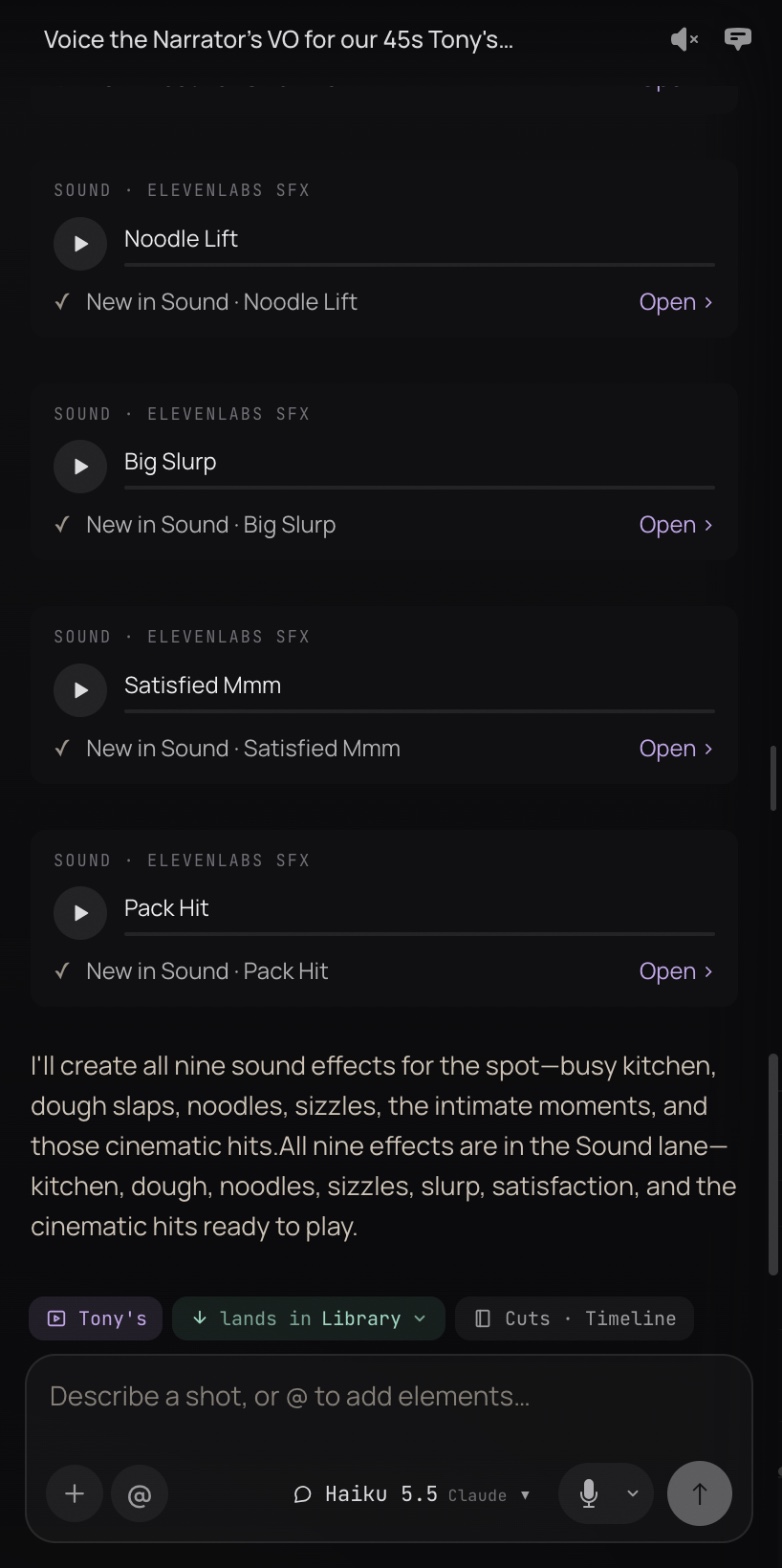
It all lands in your studio
Takes file onto their shot, sound lands on its lane, and every change to the cut is a saved version you can roll back. Your team opens the same project in the app and carries on from where the chat left off.
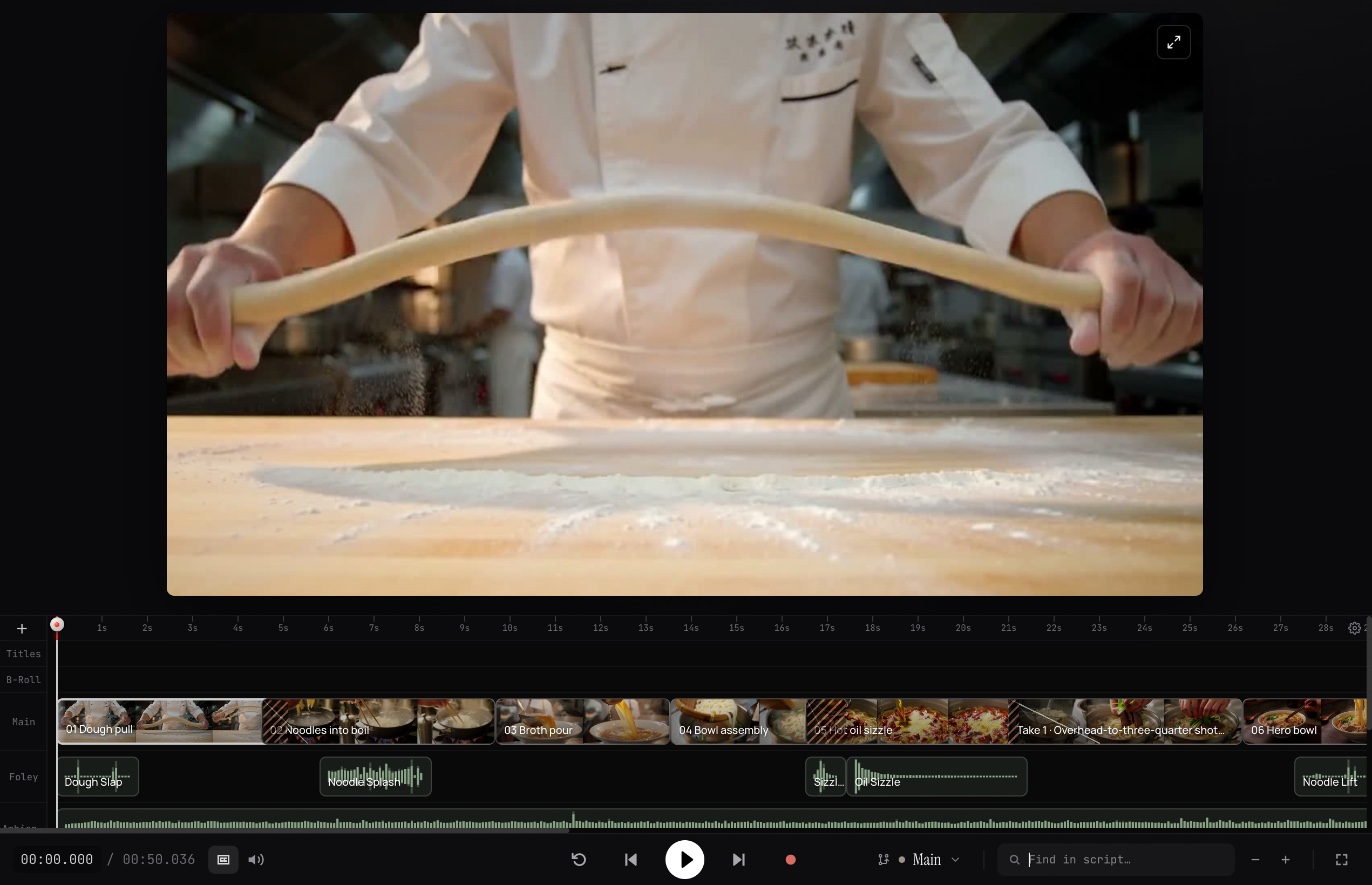
What Tony's took
Tony's Noodles, “The Long Way”: a 50-second commercial directed from inside Claude over the cnemai connector. Sound on.
Tony's Noodles was directed from a Claude chat: 18 takes rendered, 11 made the cut, a narrator in ten reads, nine sound effects and a kitchen bed. The renders came to $5.58 at wallet prices. See how it was made.
The connector doesn't vote on or approve cuts, and it doesn't rewrite an existing shot's line. Your team does those in the app.